THE CHALLENGE
Context & Problem
Suppliers needed to complete detailed documentation and structured questionnaires, but the previous experience made a complex compliance task harder to trust and finish. The work still had to feel professional while supporting business and compliance requirements.
- 01
Confusing questions and questionnaire structure.
- 02
Inconsistent UI patterns.
- 03
Limited visibility into questionnaire progress before submission.
- 04
Opportunities to improve validation and error handling.
REDESIGNED FLOWS
Redesigned Questionnaire Flows
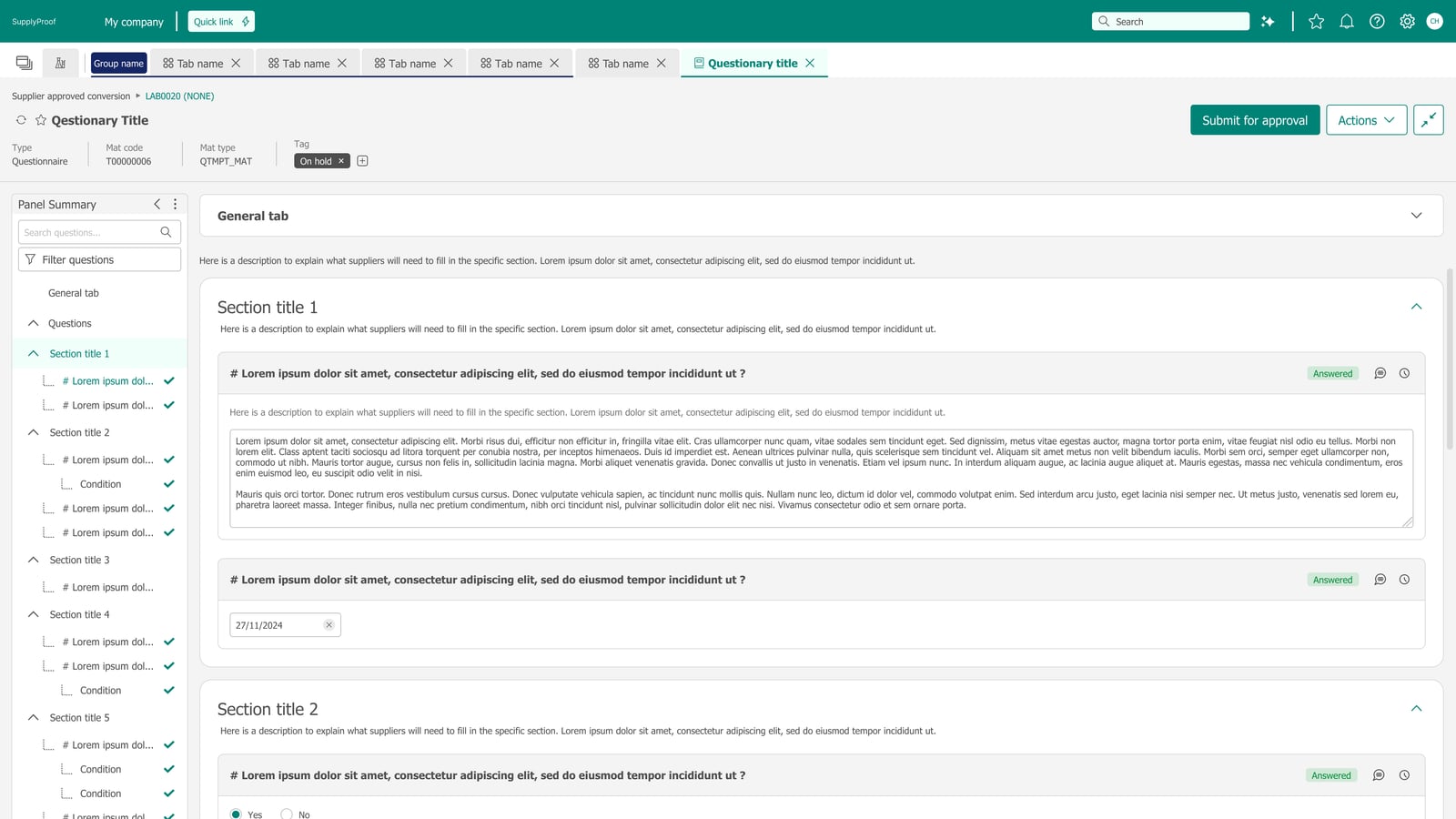
Grouped questions into navigable sections and surfaced completion and required-field states, helping suppliers understand where they are and what still needs attention.
Clearer structure
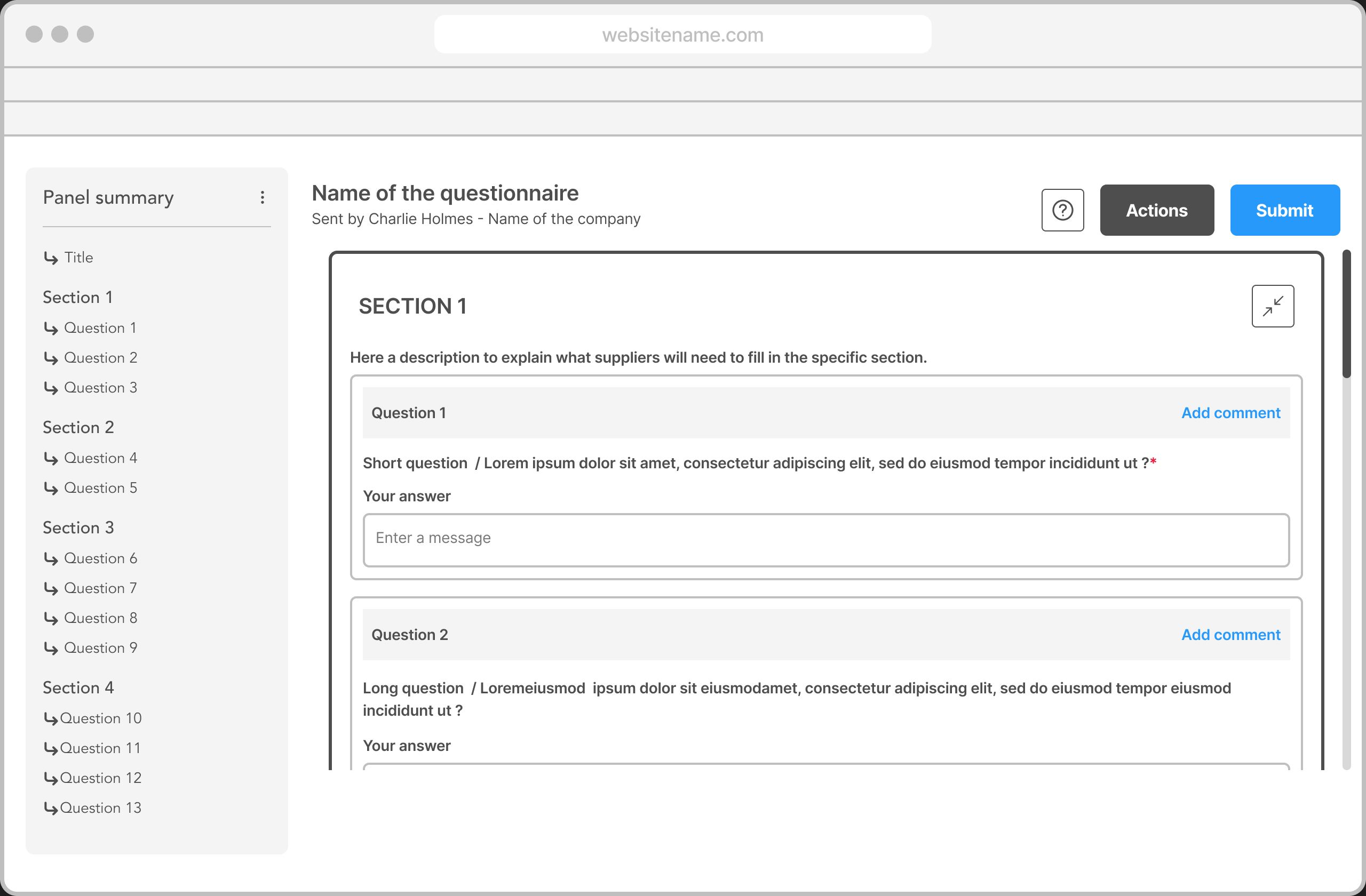
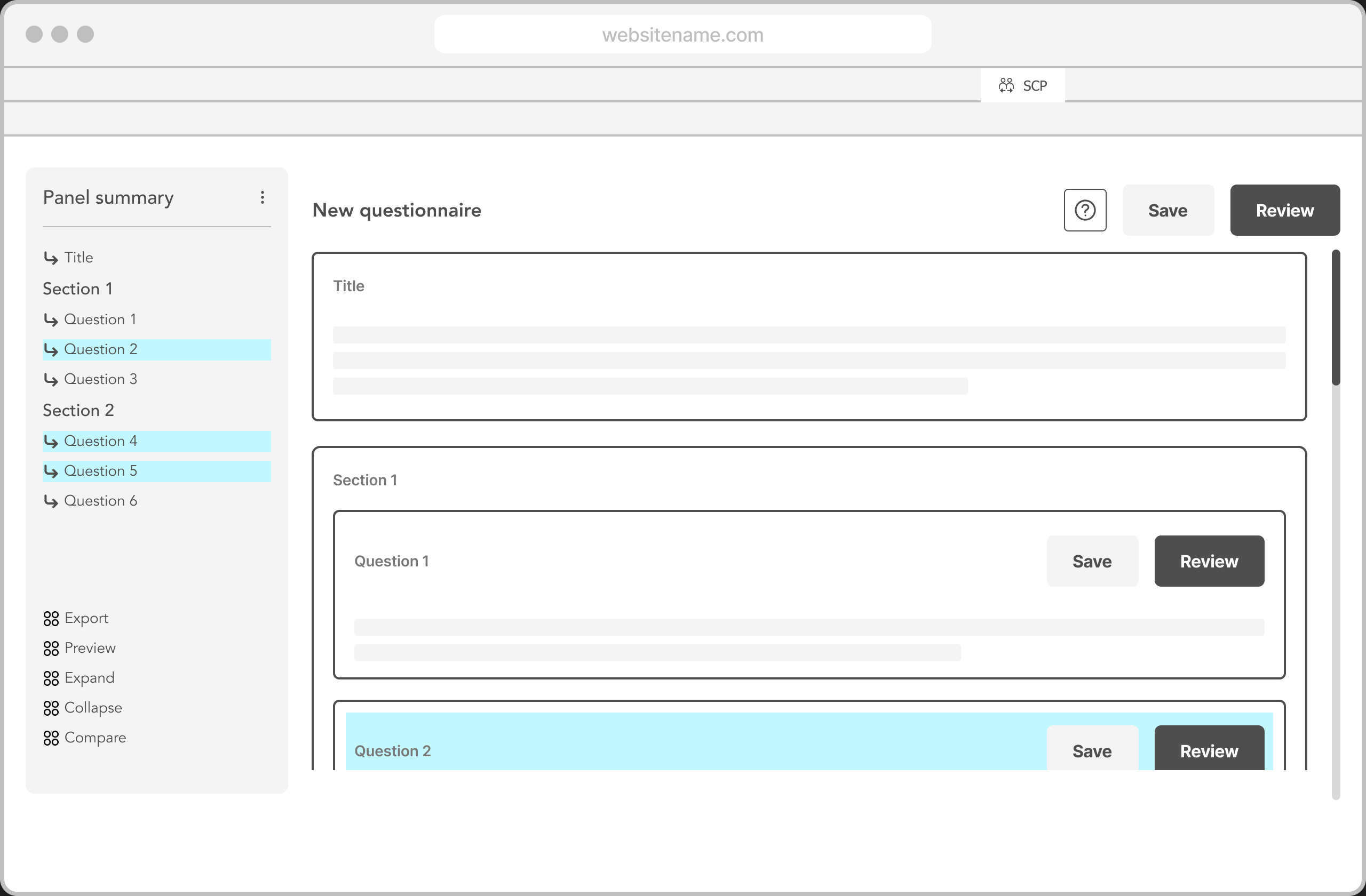
Early wireframes explored how a supplier questionnaire could feel like a guided form: persistent section navigation, grouped fields, and room for status cues without burying the task in a single endless scroll.
WIREFRAME · SUPPLIER VIEW
Visible completion
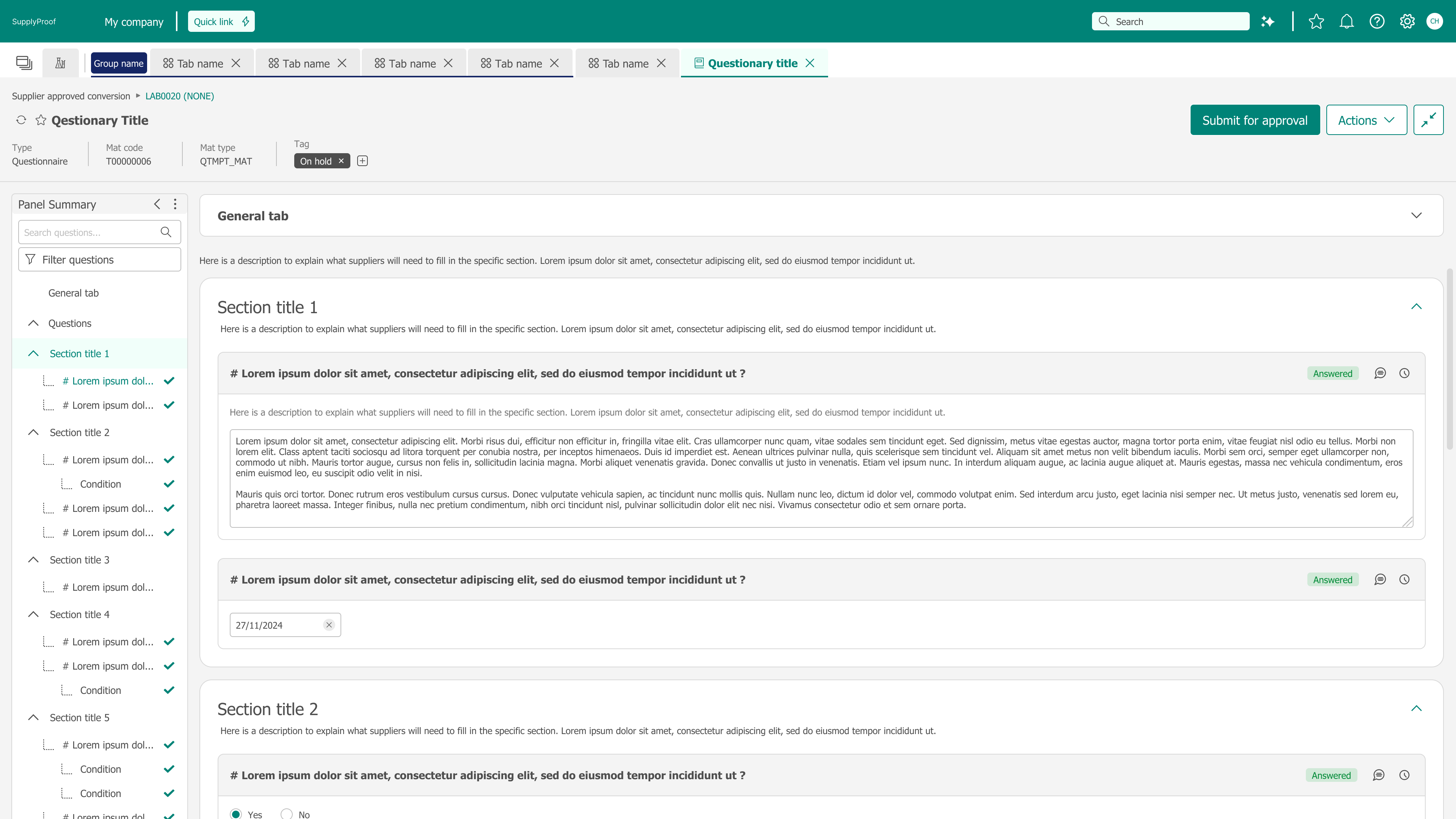
The final UI keeps section status visible in the sidebar—completed, in progress, and items that still need attention—so suppliers can see where they stand and what to open next, without relying on a percentage-based tracker.
FINAL UI · SUPPLIER OVERVIEW
Focused next steps
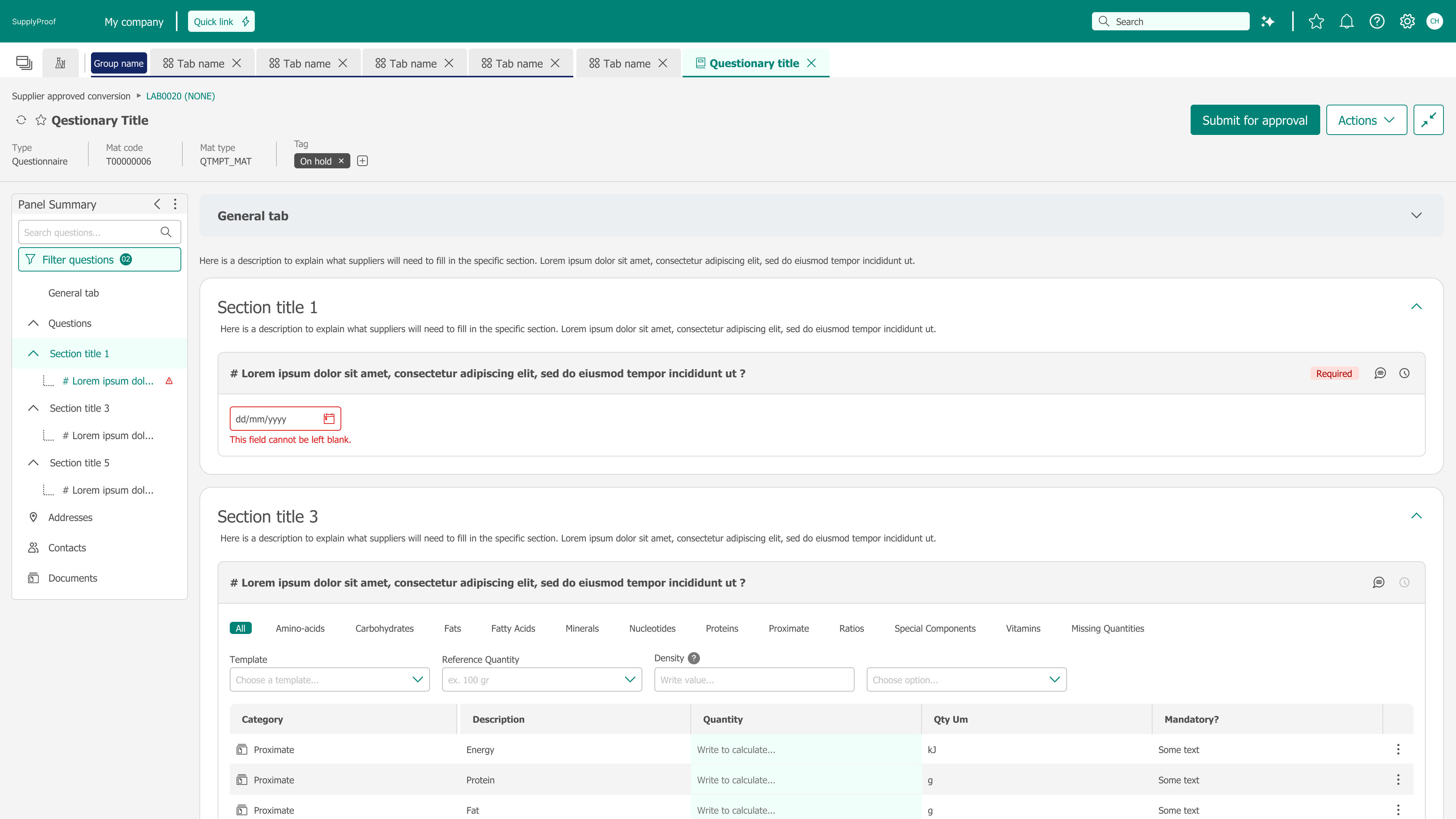
Filters and required-field feedback help suppliers zoom in on unanswered or flagged questions, turning a long compliance form into a clearer set of next actions.
FINAL UI · FOCUSED DETAIL
MY CONTRIBUTION
Approach & Ownership
I owned the UX work across research, design direction, interface redesign, handoff, and implementation review. From January to June 2026 I kept a weekly design–engineering alignment with four engineers and two QA colleagues, and I joined three client workshops to review the UI, journey, question clarity, error handling, and validation.
- 01
Redesigned question presentation, supporting text, layout, and visual consistency.
- 02
Introduced contextual progress signals so completion was visible before submission.
- 03
Joined three client workshops to validate the UI, user journey, question clarity, error handling, and validation.
- 04
Maintained weekly design–engineering alignment from January to June 2026.
- 05
Collaborated with four engineers and two QA colleagues.
- 06
Identified design-system implementation inconsistencies and escalated them through Design QA.
DESIGN APPROACH
Design approach
The design work moved from structure exploration, through explicit state definition, to reusable question and summary patterns that support both supplier completion and reviewer workflows.
Structure exploration
Reviewer-side wireframes mapped how a client or user would scan a submitted questionnaire—summary context, section status, and a path into individual answers—before high-fidelity UI locked the layout.
WIREFRAME · REVIEWER / CLIENT VIEW
State definition
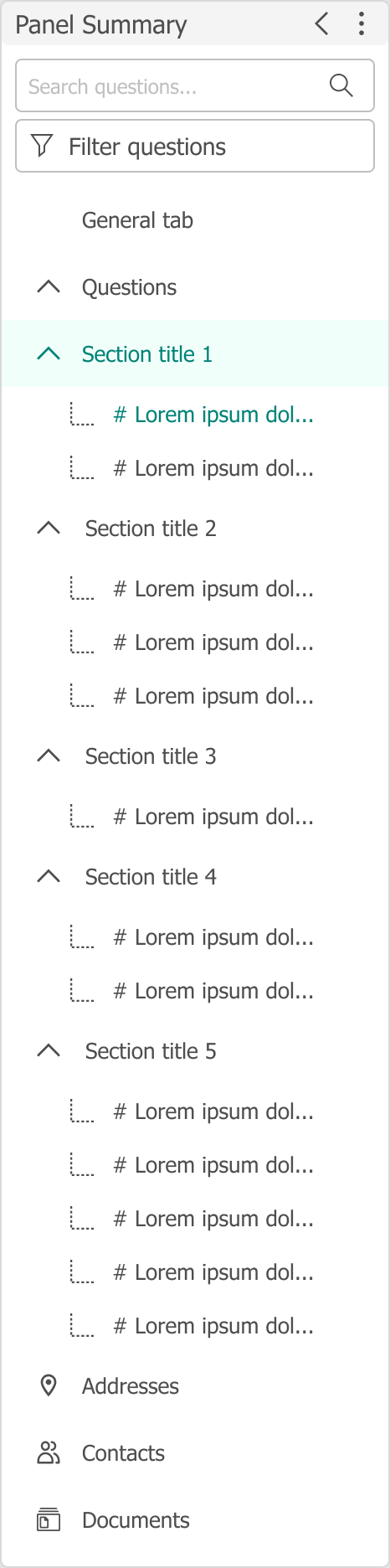
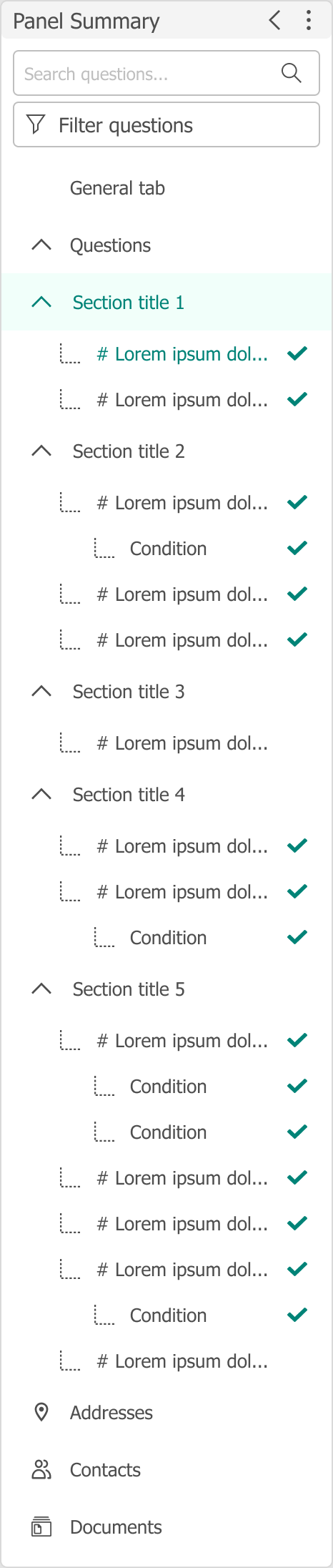
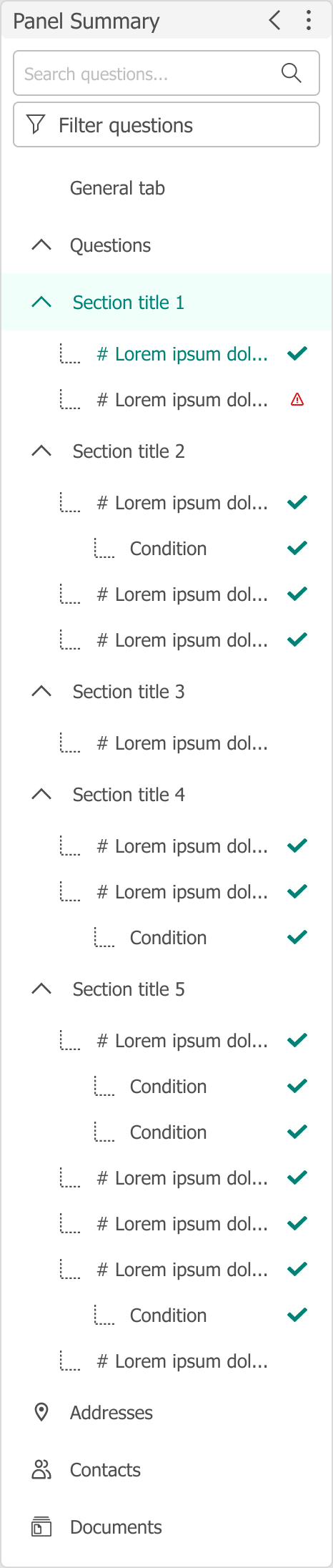
Supplier summary panels were defined as contrasting states—default, completed, and required—so sidebar indicators stay consistent as work moves from untouched sections to finished or blocked ones.
STATE · DEFAULT
STATE · COMPLETED
STATE · REQUIRED
Reusable patterns
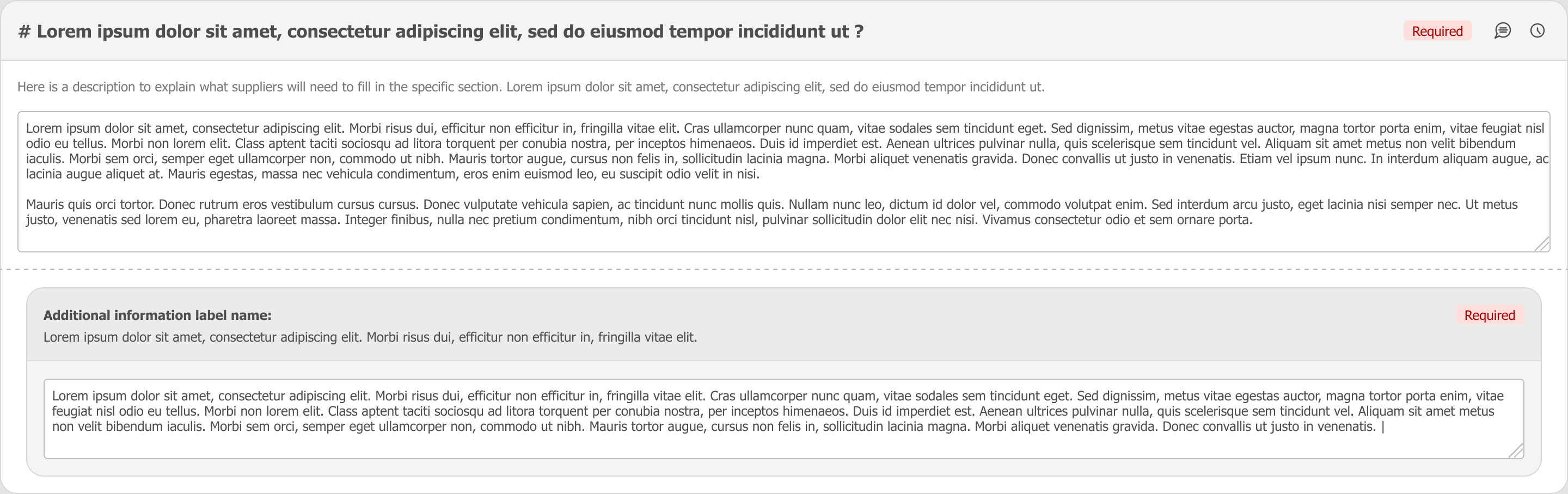
Question cards reuse the same empty, answered, and required patterns so validation and feedback stay predictable across the questionnaire—for suppliers filling forms and for reviewers scanning responses.
PATTERN · EMPTY

PATTERN · ANSWERED

PATTERN · REQUIRED / REWORK
SCOPE
Contribution in Numbers
3
CLIENT WORKSHOPS
UX validation and feedback on the UI, journey, and question clarity.
6
ENGINEERING & QA COLLABORATORS
Four engineers and two QA colleagues.
~6 months
WEEKLY ALIGNMENT
Design–engineering alignment from January to June 2026.
KEY DECISIONS
Strategic Choices
- 01
Reduce cognitive load by grouping information into clearer sections and steps.
- 02
Make progress, expectations, and next actions more visible.
- 03
Standardise question, document, and validation patterns.
- 04
Use a calmer visual hierarchy to support readability and trust.
OUTCOME
Results & Evidence
The design established clearer question presentation, supporting text, layout consistency, and contextual progress signals. Client workshop feedback supported the proposed UI and user journey, and participants expressed interest in the release. These are qualitative design and workshop outcomes.
Workshop feedback
Comments from client workshops showed interest in the direction and pointed to further refinements.
“When will this feature be available?”
“I like this approach, but can you please think about adding documents in the comment section?”
Implementation challenges
Implementation did not fully follow the design system. I identified the inconsistencies and escalated them through Design QA. That gap contributed to delayed delivery, and the inconsistencies remained unresolved within the MVP scope. The completed design work — question presentation, progress signals, and the journey reviewed with clients — is separate from MVP implementation quality and release timing.
LEADERSHIP LENS
What This Demonstrates
Demonstrates end-to-end design accountability, evidence-informed prioritisation, and the ability to align user needs with operational constraints. The work connected research, design direction, client workshops, and six months of design–engineering follow-through, including escalating design-system gaps that stayed outside the MVP.