THE CHALLENGE
Context & Problem
Shippers and drivers needed a responsive way to manage demurrage charges and track transport, including time-sensitive workflows for people with different levels of technical familiarity.
MARKETPLACE
Single loads and batch loads
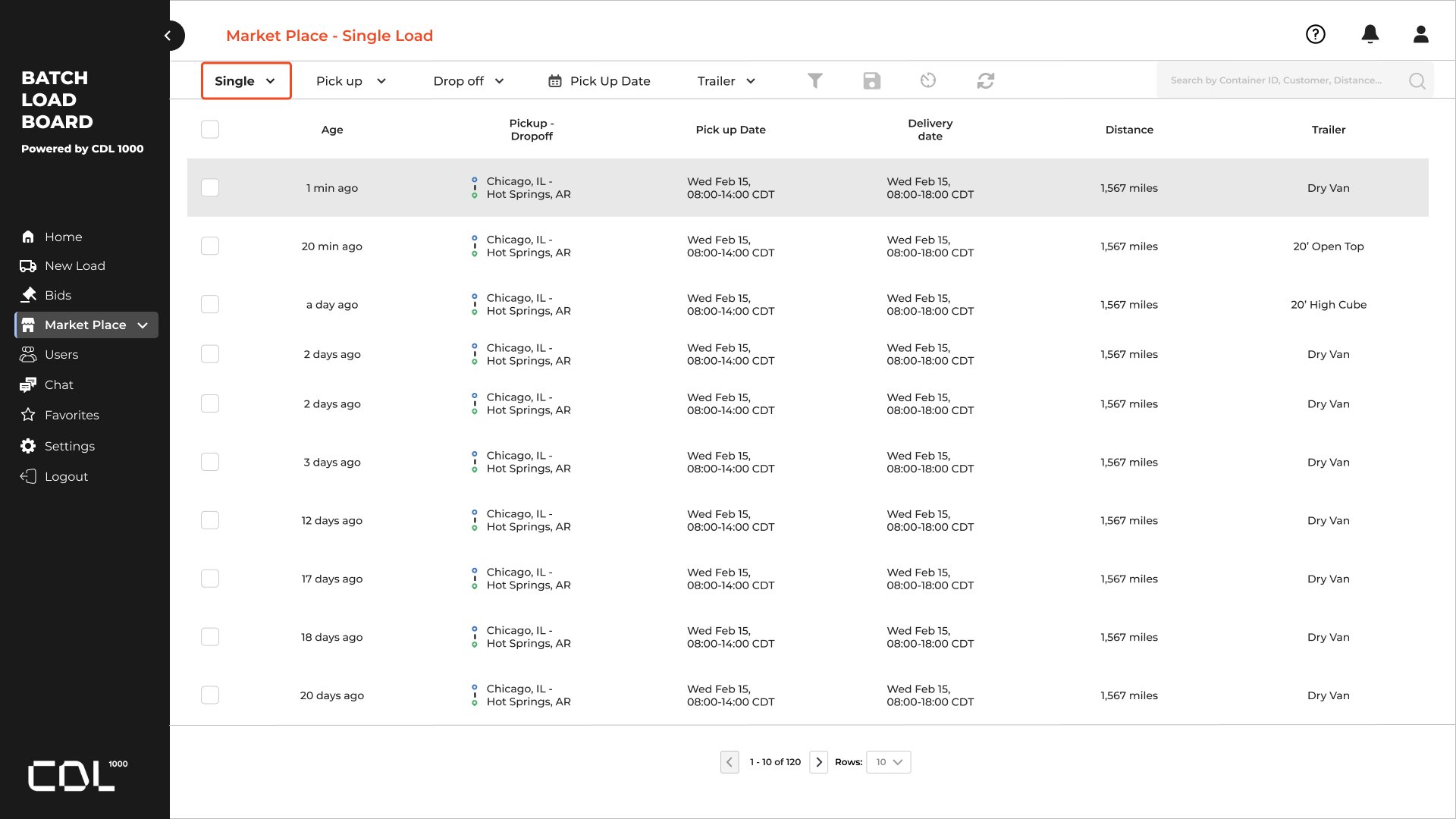
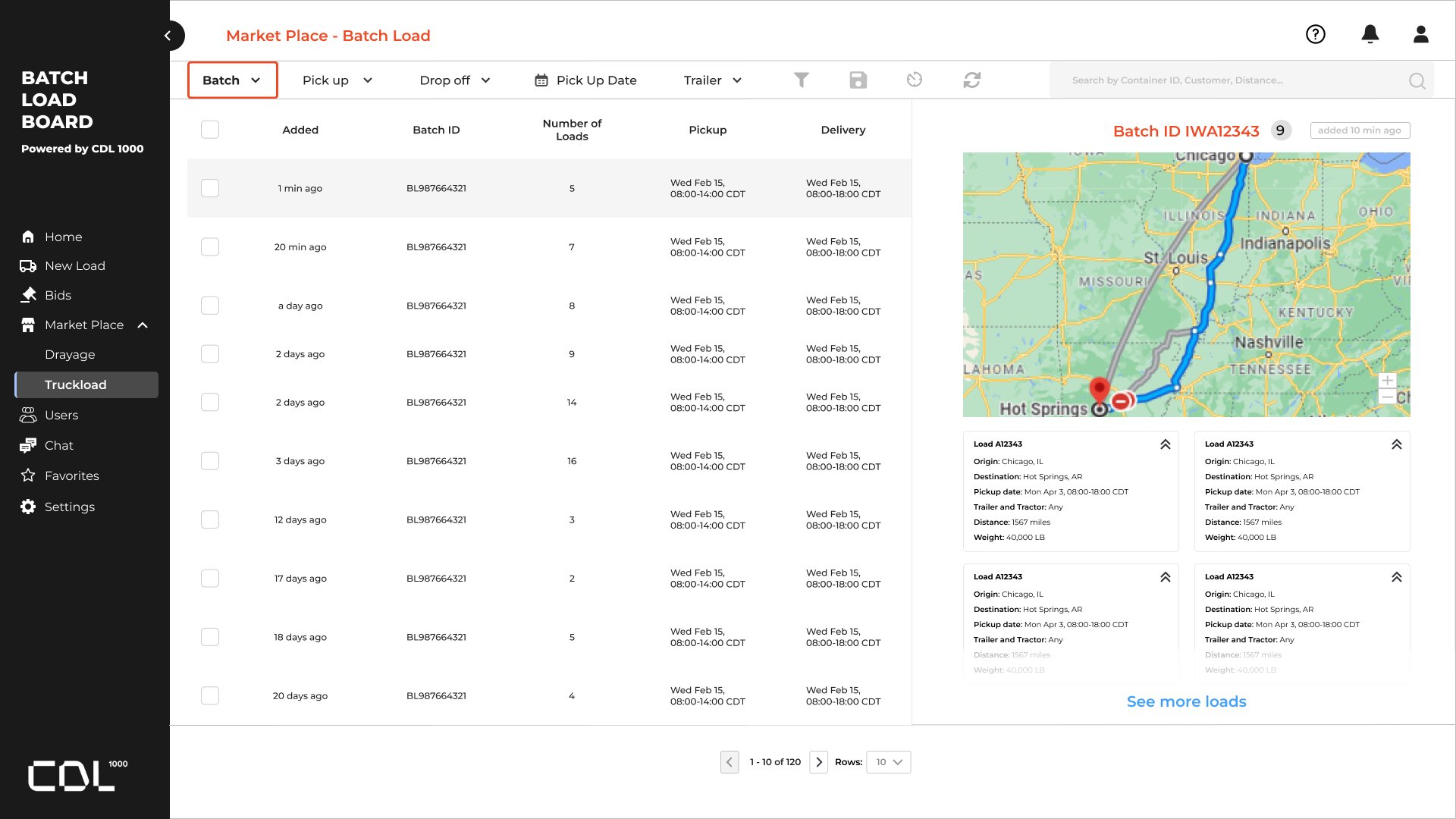
The board lists loads and can open the route beside them. Batch view groups several loads under one id.
Single loads
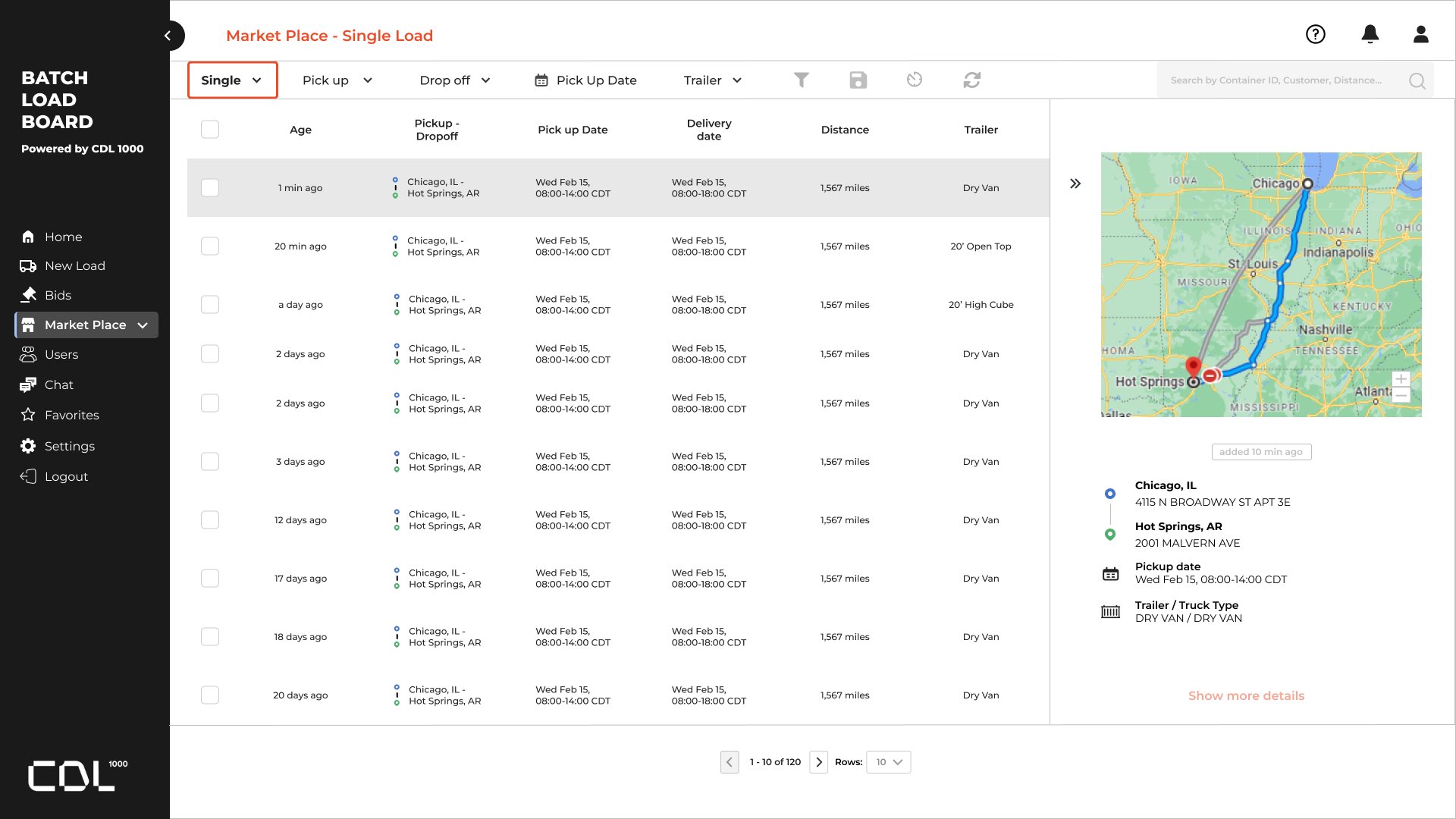
The list shows age, pickup and drop-off, dates, distance, and trailer. Opening a row brings the route and stop details in from the side.
LIST
ROUTE OPEN
Batch loads
Batch view lists each group with a load count and the pickup and delivery window. The side panel shows the route and the loads inside that batch.
BATCH
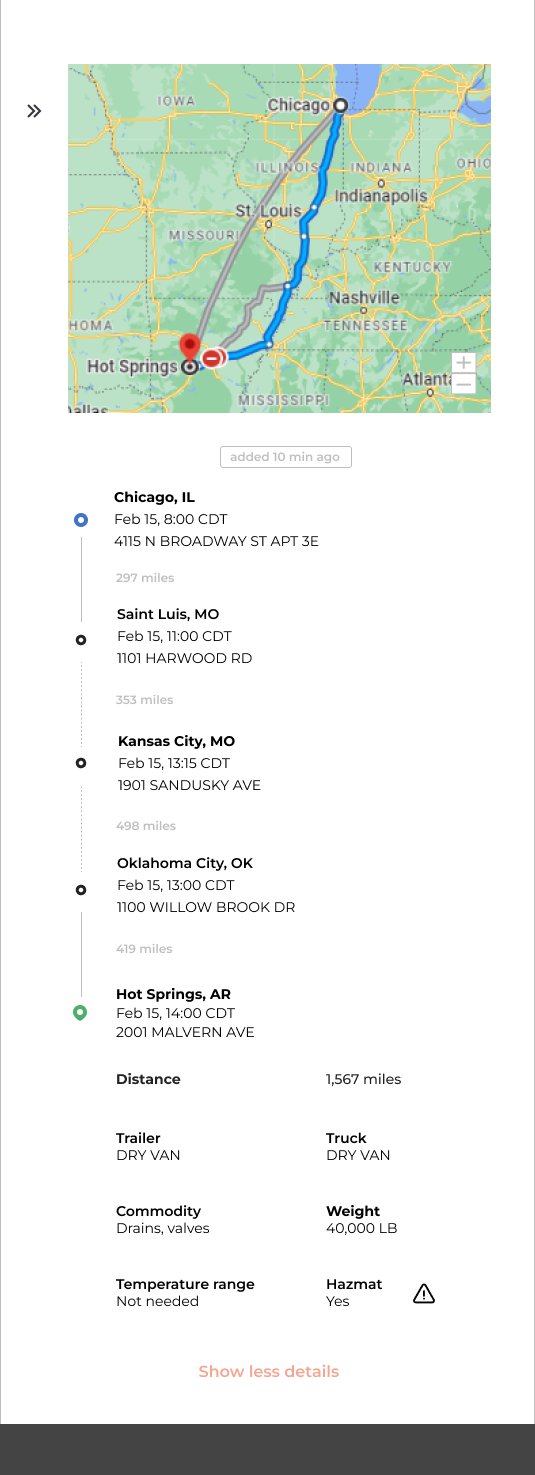
Trip detail on a smaller screen
The trip detail stacks the map, each stop, and the load facts, with a control to show less.
NARROW SCREEN
MY CONTRIBUTION
Approach & Ownership
I was the solo UI/UX designer. I designed the marketplace for single loads and batch loads, including the route that opens beside the list and the smaller-screen view of a trip.
KEY DECISIONS
Strategic Choices
- 01
Keep single loads and batch loads in one marketplace, with the mode visible in the filters.
- 02
Open the route, stops, and load facts beside the list so a trip can be checked without leaving the board.
- 03
On a smaller screen, stack the map, the stops, and the load facts in one scroll.
OUTCOME
Results & Evidence
Desktop and narrow-screen marketplace screens for browsing loads, checking a route, and reading the details of a trip. This page shows that design work. It is not a measured result for a live product.
LEADERSHIP LENS
What This Demonstrates
Shows independent ownership of a dense operational workflow, from the board through the trip detail.